
If you use AllEars.Vet to issue prescriptions with an electronic signature in Brazil, you have probably run into an alphabet soup: SNCR, RDC 1.000/2025, RDC 1.028/2026, blue, yellow and white forms, MAPA number, gov.br, ICP-Brasil. This guide explains each term in one sentence, shows what changes (and what does not) for the veterinarian, and ends with a checklist you can tick while you set up the app.
Updated on 11 September 2026. The rules are in transition: always confirm the current text with ANVISA, MAPA and your CRMV.
The terms, one by one
Advanced electronic signature (gov.br) — the free signature from the gov.br portal. It identifies the signer but does not use an ICP-Brasil certificate. CFMV Resolution 1.465/2022 accepts this level only for prescriptions of medicines without special control. AllEars.Vet does not sign with gov.br: the gov.br account only enters the flow to authenticate the prescriber with the SNCR (see below).
Qualified electronic signature (ICP-Brasil) — a signature made with a digital certificate issued within ICP-Brasil (MP 2.200-2/2001). It has the same legal validity as a handwritten signature and is the only one accepted for special-control prescriptions, prescription notifications and controlled compounded prescriptions. It is the method used by AllEars.Vet.
A1 certificate / e-CPF — the .pfx or .p12 file that represents you (as an individual) in ICP-Brasil. It is sold by Certificate Authorities accredited by ITI and is usually valid for 1 year. It is the only format the app accepts (A3 tokens and cloud certificates are not supported yet).
Ordinance SVS/MS 344/1998 — the rule that classifies controlled substances into lists (A, B, C…) and defines which prescription form each list requires. It applies to human and veterinary use.
Special Control Prescription (white, 2 copies) — the form for substances in lists C1 and C5 (gabapentin, fluoxetine, trazodone…). The 1st copy stays with the pharmacy, the 2nd with the guardian; valid for 30 days. In the app it is the Controle especial type.
Prescription Notification B (blue) — the numbered pad for psychotropics in lists B1 and B2 (phenobarbital, diazepam, midazolam…). There is a veterinary-specific model; pads are supplied by the health surveillance authority (Vigilância Sanitária). Under RDC 1.000/2025 it can become electronic via the SNCR.
Prescription Notification A (yellow) — the numbered pad for narcotics in lists A1 and A2 (morphine, methadone, fentanyl…). Also supplied by the Vigilância Sanitária; veterinarians may use it for veterinary use.
Controlled compounded prescription (3 copies) — the form for compounded formulas containing a controlled substance, regulated by MAPA (MAPA Ordinance 837/2025, in force since 2 January 2026). It requires per-veterinarian sequential numbering in the format MAPA number / sequence / year. In the app it is the Magistral (manipulada) type.
MAPA number (SIPEAGRO) — the veterinarian's registration number with the Ministry of Agriculture, obtained in the SIPEAGRO system. It is part of the controlled compounded prescription number. Register it in Settings → Profile.
ANVISA RDC 1.000/2025 — in force since 13 February 2026, it is the resolution that allows prescription notifications, special-control prescriptions and retained prescriptions to be electronic, provided they are signed with an ICP-Brasil certificate and numbered by the SNCR. It also introduced new printed models, mandatory since 18 May 2026.
ANVISA RDC 1.028/2026 — published on 1 June 2026, it extended only the deadline for ANVISA to make the SNCR electronic functions available: from 1 June to 30 September 2026. Nothing else in RDC 1.000 changed.
SNCR (National Prescription Control System) — ANVISA's system that generates the single, nationwide numbering for controlled prescription forms. Health surveillance agencies have used it since 2024. Once the electronic functions are released, integrated prescribing platforms request numbers on behalf of the prescriber (authenticated via gov.br) and pharmacies record the dispensation in it.
Dispensation (baixa) — the record that the pharmacy sold the medicine for that prescription. In the electronic flow, the dispensation prevents the prescription from being reused. AllEars.Vet already offers this on the public verification page of a signed prescription.
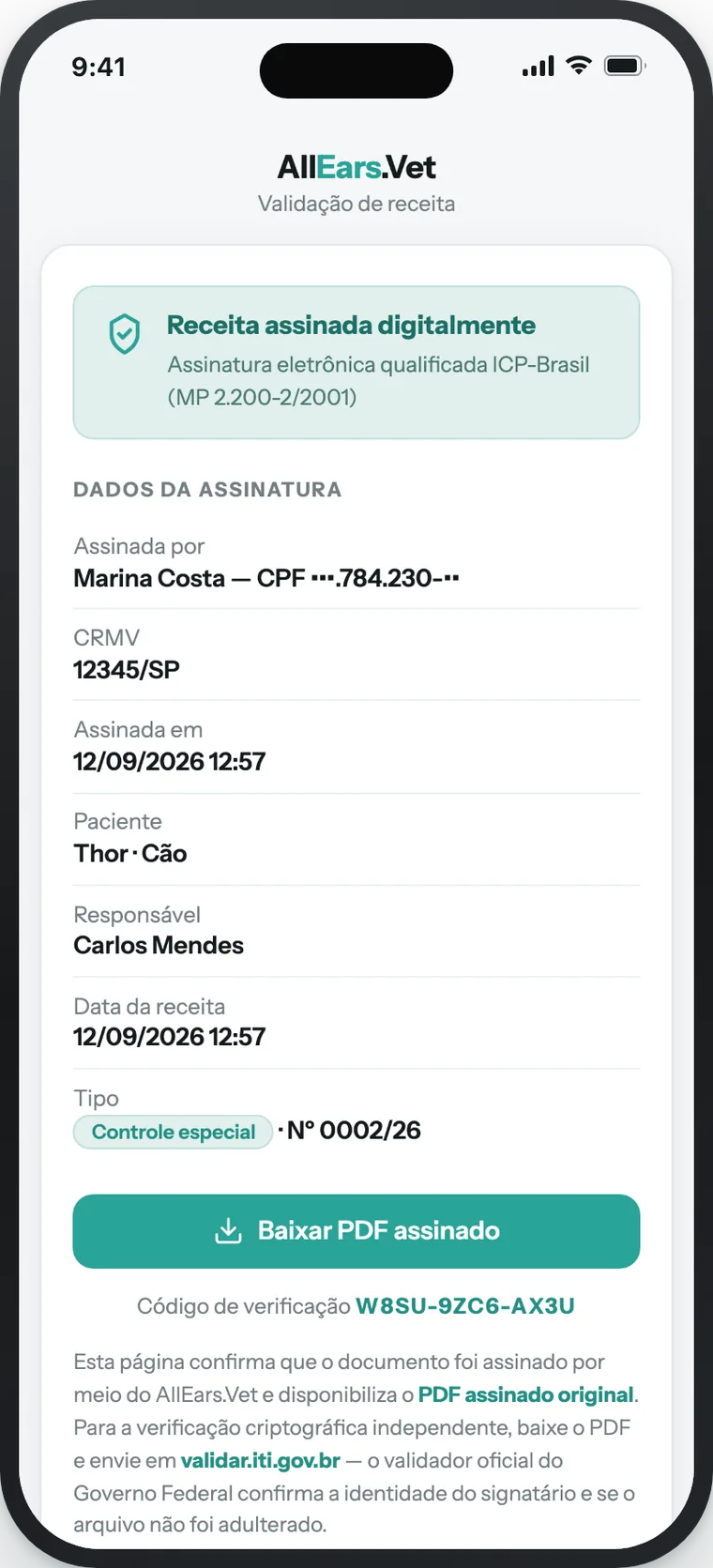
Verification QR — the code printed on the signed prescription that opens a public page showing who signed, when, and allowing the original PDF to be downloaded. It does not depend on the SNCR.
What changes for you — and what does not
- Paper is still valid. Physical pads (blue, yellow, printed special control) remain valid. What changed is the printed model, mandatory since 18 May 2026.
- Electronic controlled prescriptions require the SNCR. A natively digital special-control prescription or notification is only valid if numbered by the SNCR and signed with ICP-Brasil. That is why the app keeps its internal numbering until the integration is enabled for your account.
- 30 September 2026 is ANVISA's deadline, not yours. It is the date by which the agency must make the SNCR electronic functions available. There is no obligation to move to electronic prescriptions on that date.
- Simple prescriptions never depended on this. They can be electronic today, with a qualified signature (ICP-Brasil) or, in the app, also with the scanned handwritten signature.
Which signature is valid for which prescription
| Prescription | Signature required by the rules | In AllEars.Vet |
|---|---|---|
| Simple | Advanced (gov.br) or qualified (ICP-Brasil) | ICP-Brasil A1 or scanned handwritten |
| Special control (white, 2 copies) | Qualified ICP-Brasil | ICP-Brasil A1 (Pro plan) |
| Controlled compounded (3 copies) | Qualified ICP-Brasil | ICP-Brasil A1 (Pro plan), with MAPA number |
| Notification A (yellow) and B (blue) | Qualified ICP-Brasil + SNCR numbering | App already integrated with the SNCR; electronic issuance as soon as ANVISA releases it. Until then, the Vigilância pad |
What the app already does — and what still depends on ANVISA
Works today: simple, controlled compounded (3 copies) and special-control (2 copies) prescriptions with the ICP-Brasil A1 signature; automatic sequential numbering; QR and verification code; sending via WhatsApp and e-mail; pharmacy dispensation; annulment and new versions.
Gradual rollout: official SNCR numbering for special-control prescriptions, account by account, as ANVISA opens the production environment. When it reaches your account, the SNCR section appears in Settings → Signatures — see the Signatures article.
Waiting on ANVISA: prescription notifications A (yellow) and B (blue). The app is already integrated with the SNCR and will issue them electronically as soon as ANVISA opens the system to platforms. Until then, the physical pad from the Vigilância Sanitária remains valid.
Checklist: from zero to your first signed prescription
Tick each step as you complete it — progress is saved in this browser.
- CRMV and title in Settings → Profile — they appear in the header of every prescription.
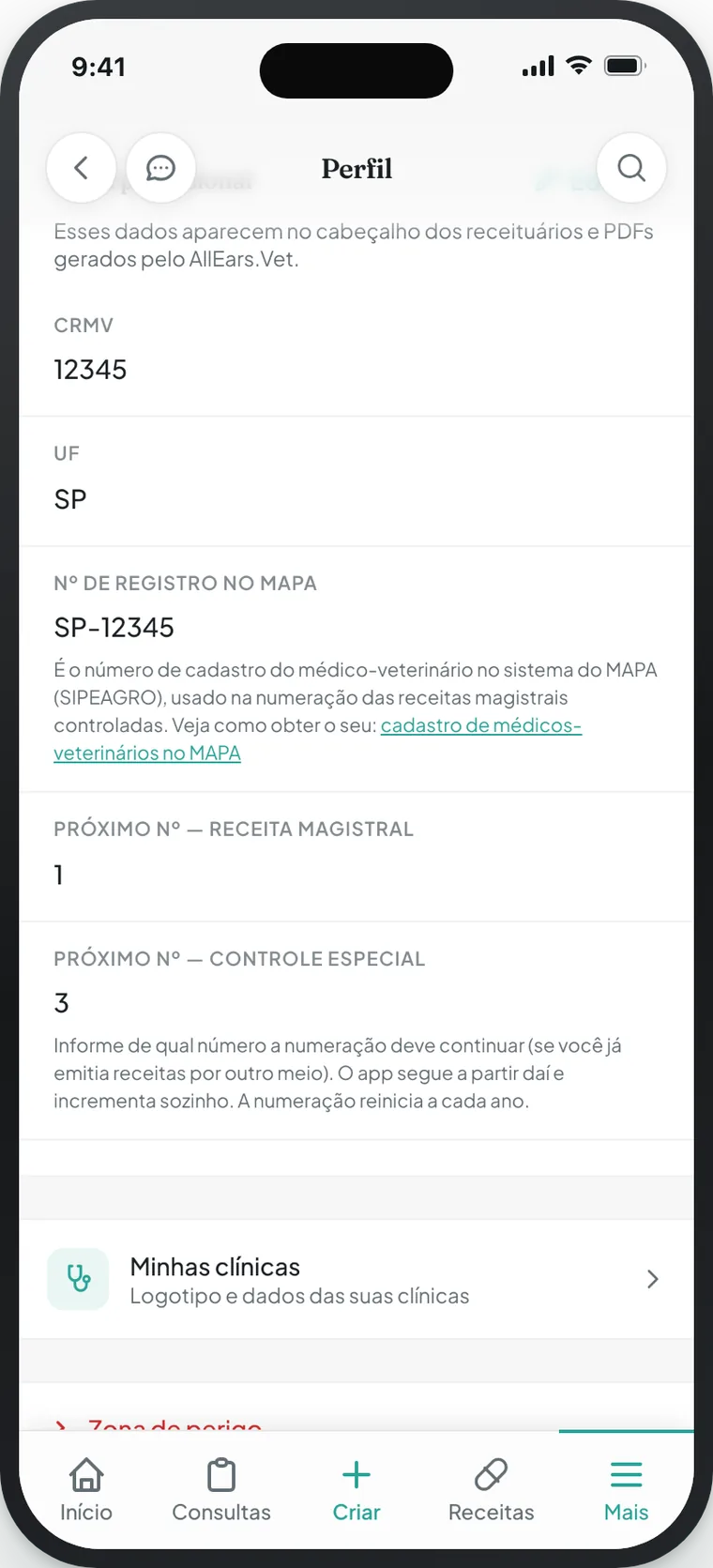
CRMV, state and MAPA number sit on the same screen, next to the numbering that continues where you left off.
- Clinic (name, address, phone and logo) in Settings → My clinics — it is the prescription letterhead.
- A1 certificate (e-CPF): buy it from a Certificate Authority accredited by ITI, complete the identity validation and download the
.pfxor.p12file. - Upload the certificate in Settings → Signatures — once only; for the next signatures the app asks for the password alone.
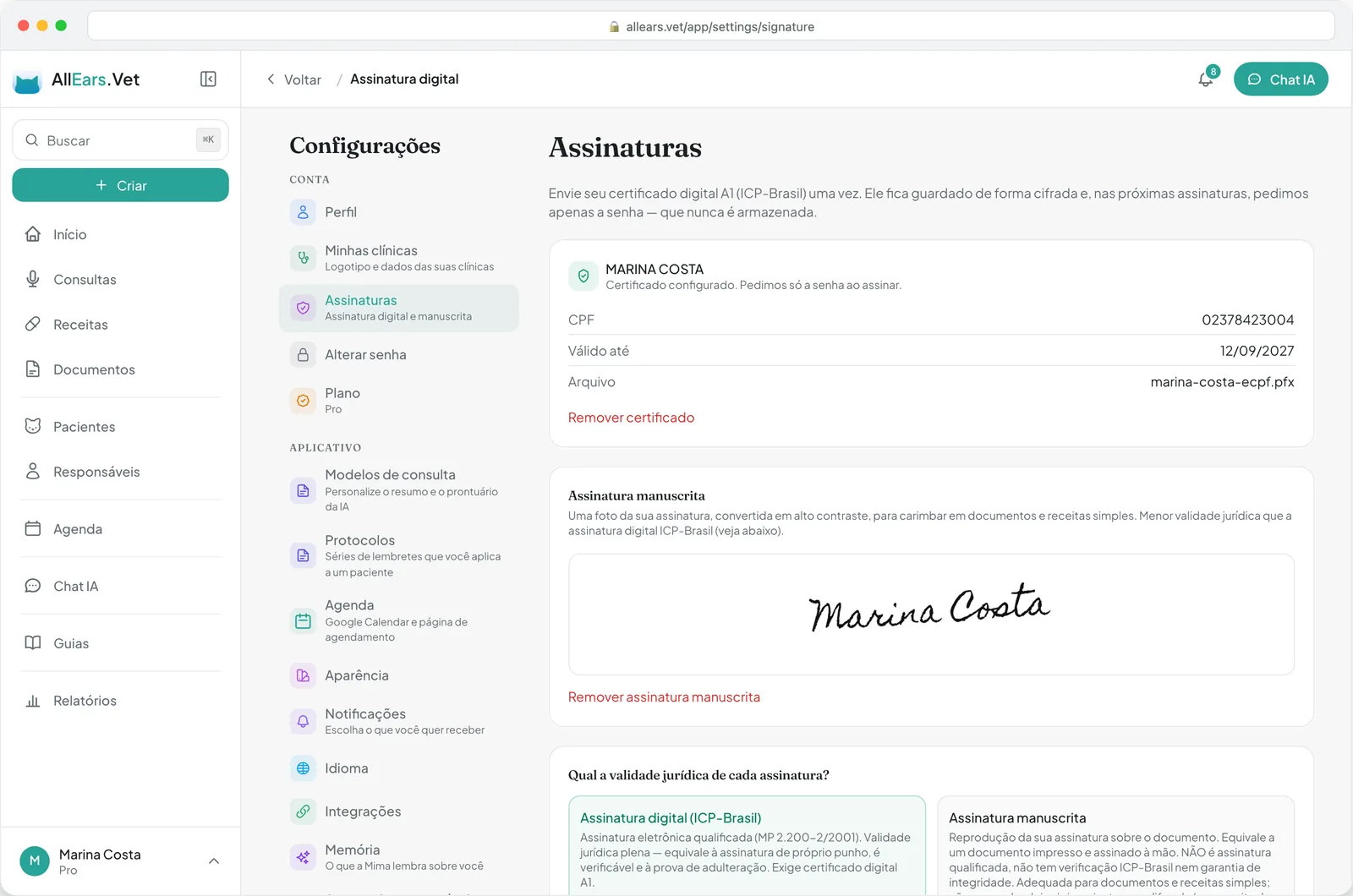
Both signatures live on the same screen: the ICP-Brasil certificate and, below it, the scanned handwritten one.
- Active Pro plan, if you will sign with ICP-Brasil (the handwritten signature works on every plan) — see Plan and subscription.
- MAPA number in Settings → Profile, if you prescribe controlled compounded formulas.
- Patient weight and the guardian's CPF and address on file — controlled types require this data, and the app asks for it on the spot when missing.
- Create the prescription in Prescriptions → New prescription, choose the patient and the prescription type.
- Sign: tap Sign, choose the method and type the certificate password.
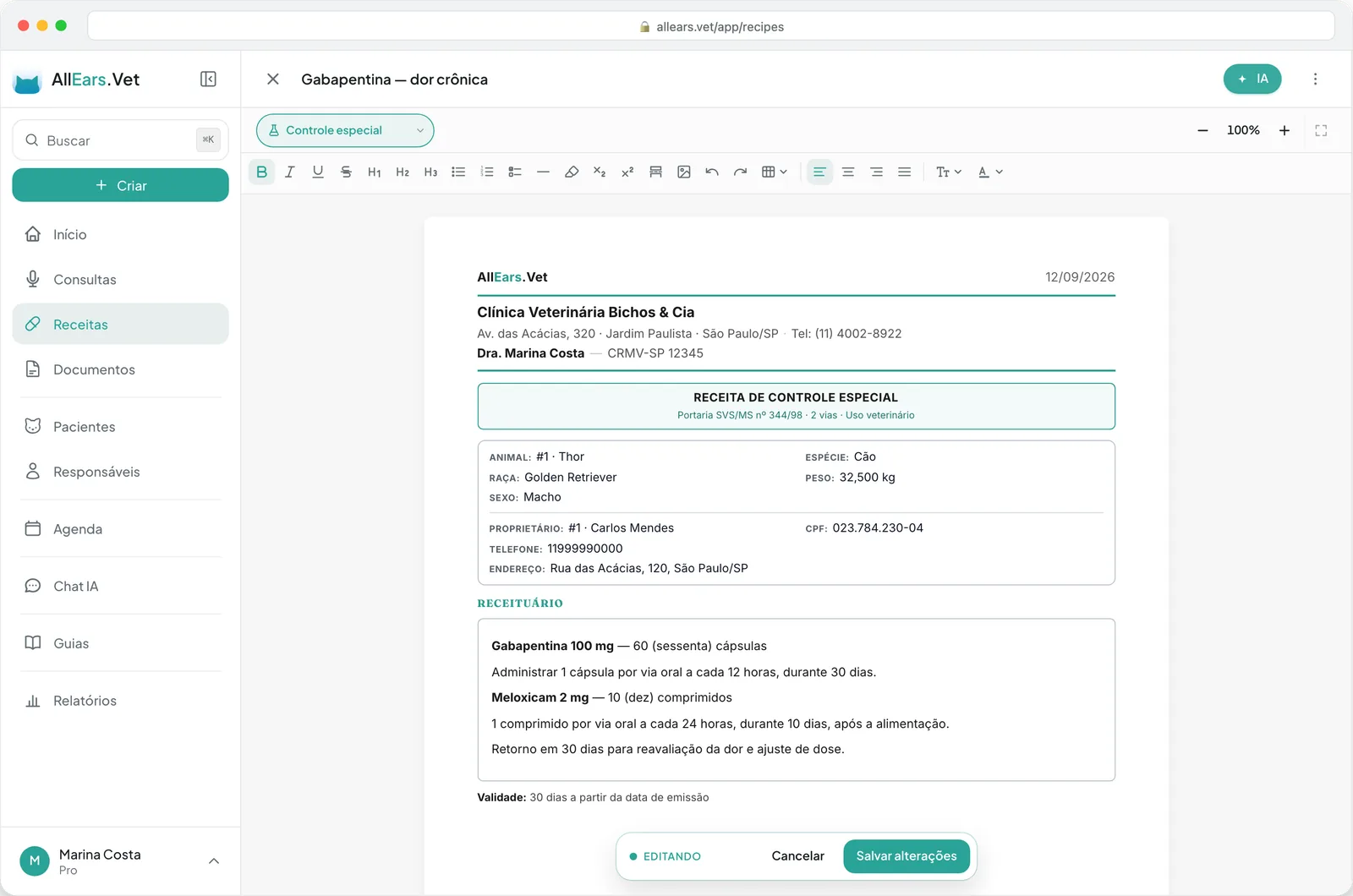
Picking the type opens the prescription in the right template — here, special control.
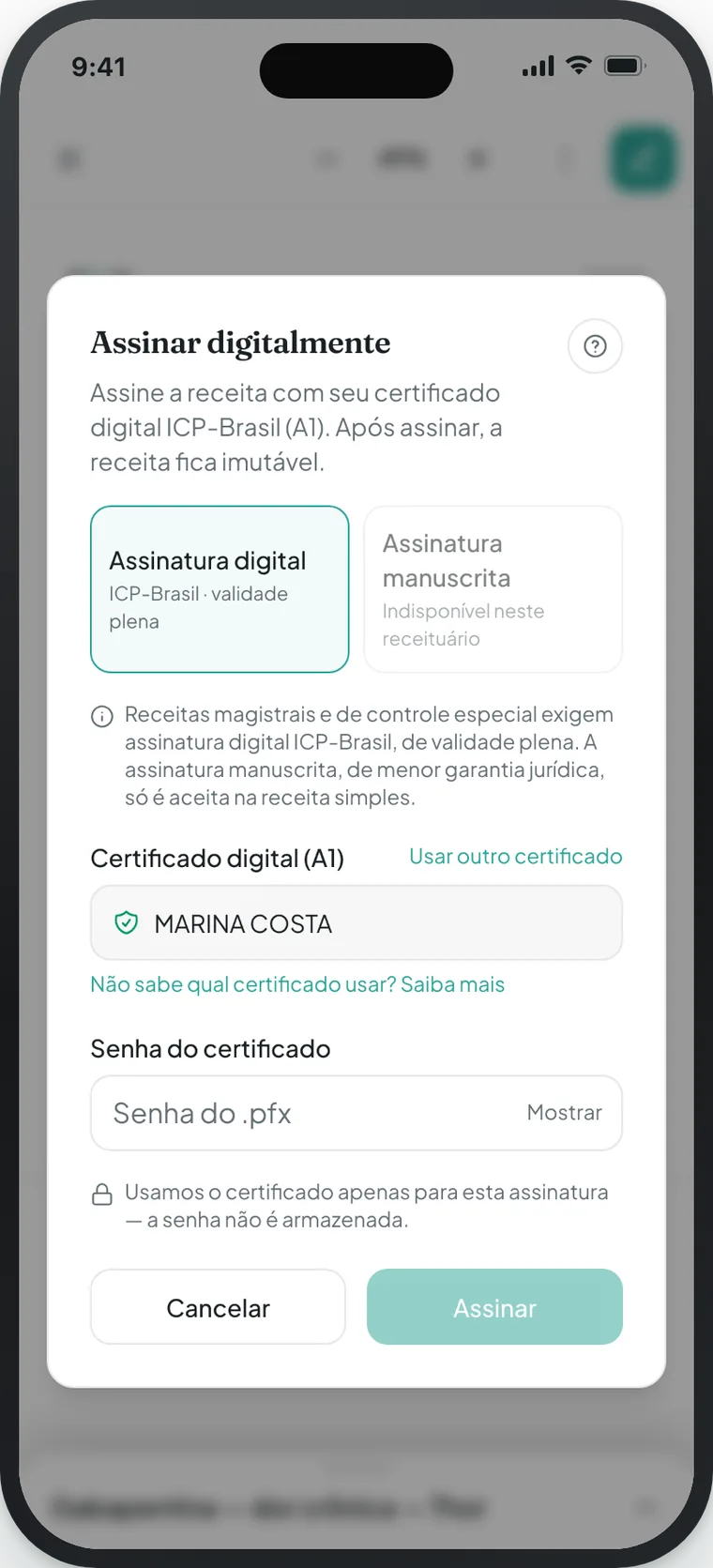
The app only offers the method that prescription type accepts: on special control, the handwritten one is disabled.
- Send the signed PDF to the guardian via WhatsApp or e-mail — the QR lets the pharmacy verify the prescription and record the dispensation.
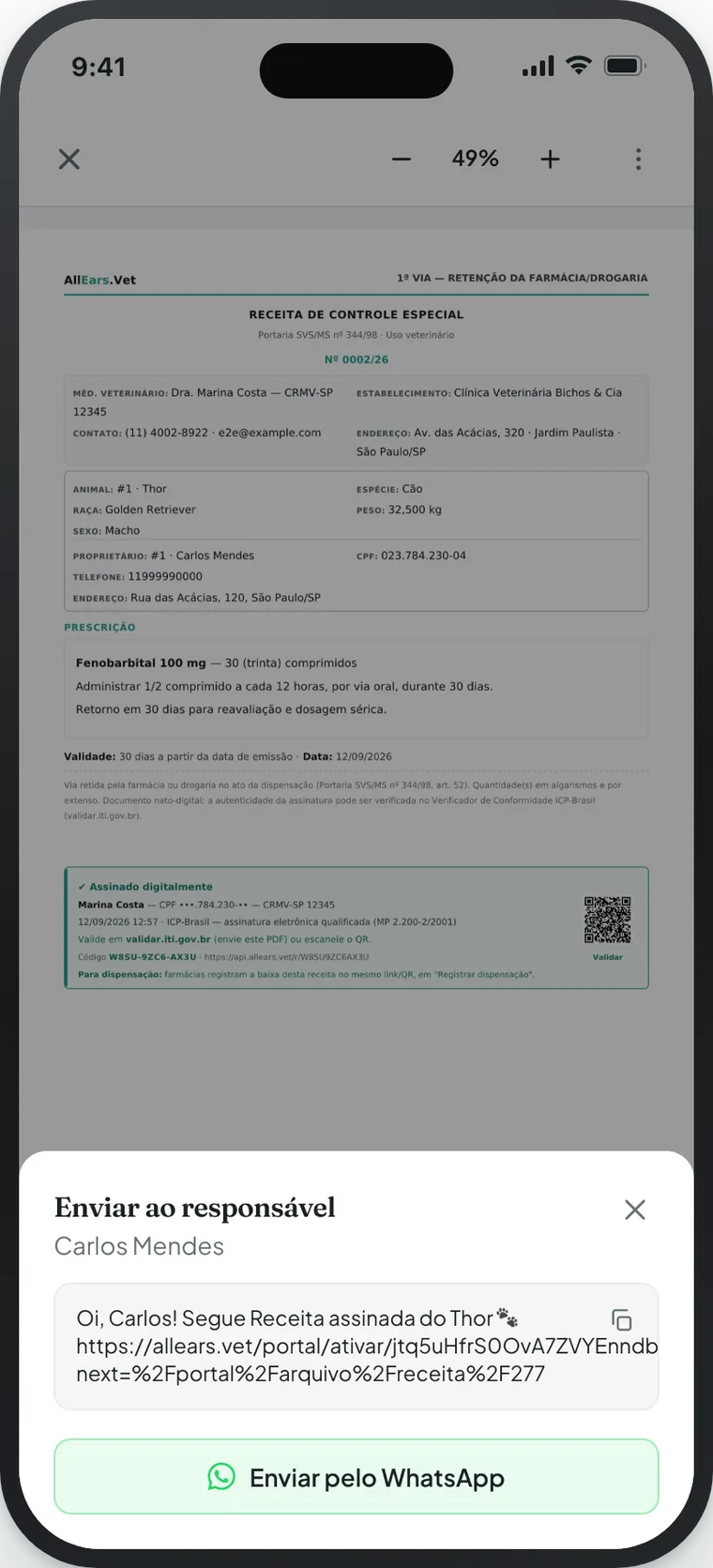
The message comes ready, with the link to the file in the guardian portal.
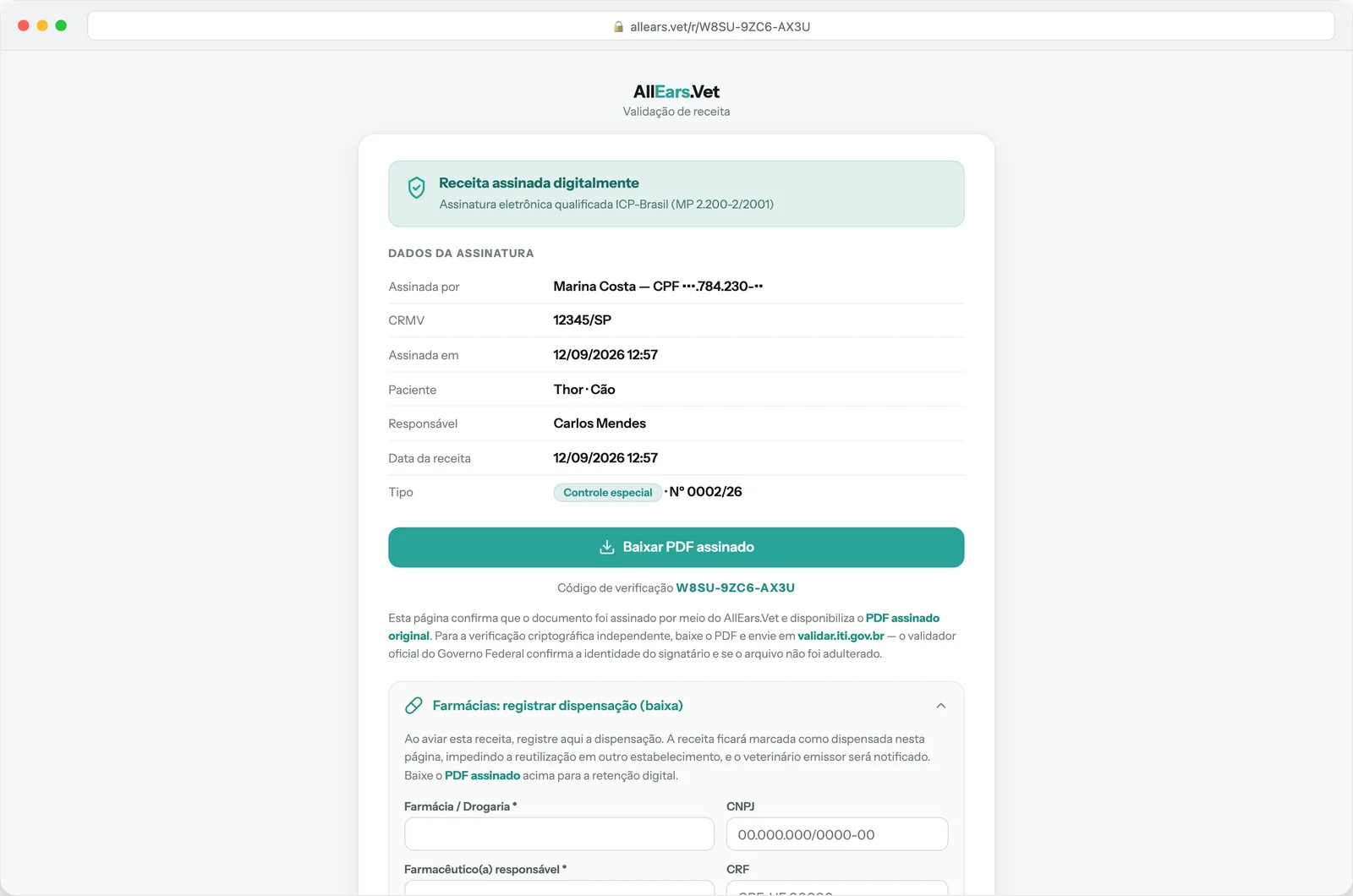
This is what the pharmacy sees after scanning the QR: the signature details, the original PDF and the dispensation form.
Still evaluating the app? The digital veterinary prescriptions with an ICP-Brasil signature page sums up on one screen what you can do today, with the plans and a WhatsApp channel for questions.
Quick questions
Do I need to buy a certificate if I only issue simple prescriptions?
No. Simple prescriptions accept the scanned handwritten signature on any plan. The certificate becomes necessary when you prescribe controlled substances.
Can I sign a veterinary prescription with my gov.br account?
No. gov.br is not an ICP-Brasil certificate and the app does not sign through it. For controlled substances, the rules require the qualified certificate.
Will the pharmacy accept it?
The prescription carries a QR and a verification code that open the public page with the signature details and the original PDF, and the pharmacy records the dispensation there. Some establishments still ask for a printed copy of special-control prescriptions: the signed PDF can be printed normally.
When does the SNCR reach my account?
As soon as ANVISA opens the production environment and the feature is enabled for your account, the SNCR section appears in Settings → Signatures. We will let you know by e-mail and in the app's release notes.