
Consultation checklists and AI automations
👋 Notes from the development team
In this version, we focused on consultation templates and on control over what the artificial intelligence does on its own. Every template now has a checklist of questions that shows beside the recording and gets ticked as the conversation moves along, plus switches for weight and vital signs and a gallery of ready-made templates to start from. In Settings → AI automations, you decide whether the AI suggests prescriptions and charges, records vaccines and updates the patient record by itself.
We also adjusted the WhatsApp messages based on what clinics reported after the launch. You can now keep reminders with the team only, see the message as the guardian will read it and know when a reminder will not go out, and why. The patient's full medical record can be exported as a PDF, and in Finance charges can be handled in bulk.
As always, the version brings a number of usability improvements and fixes, listed below.
Our commitment does not change: building the best app for vets, with artificial intelligence that is simple to use and handles real consultation tasks, at a fair price. Several items on this list started as a request from one of you, so keep sending your suggestions through Contact us.
And keep an eye on the next releases: we are building features many of you have asked for.
The AllEars.Vet team
🎙️ A checklist that follows the recording
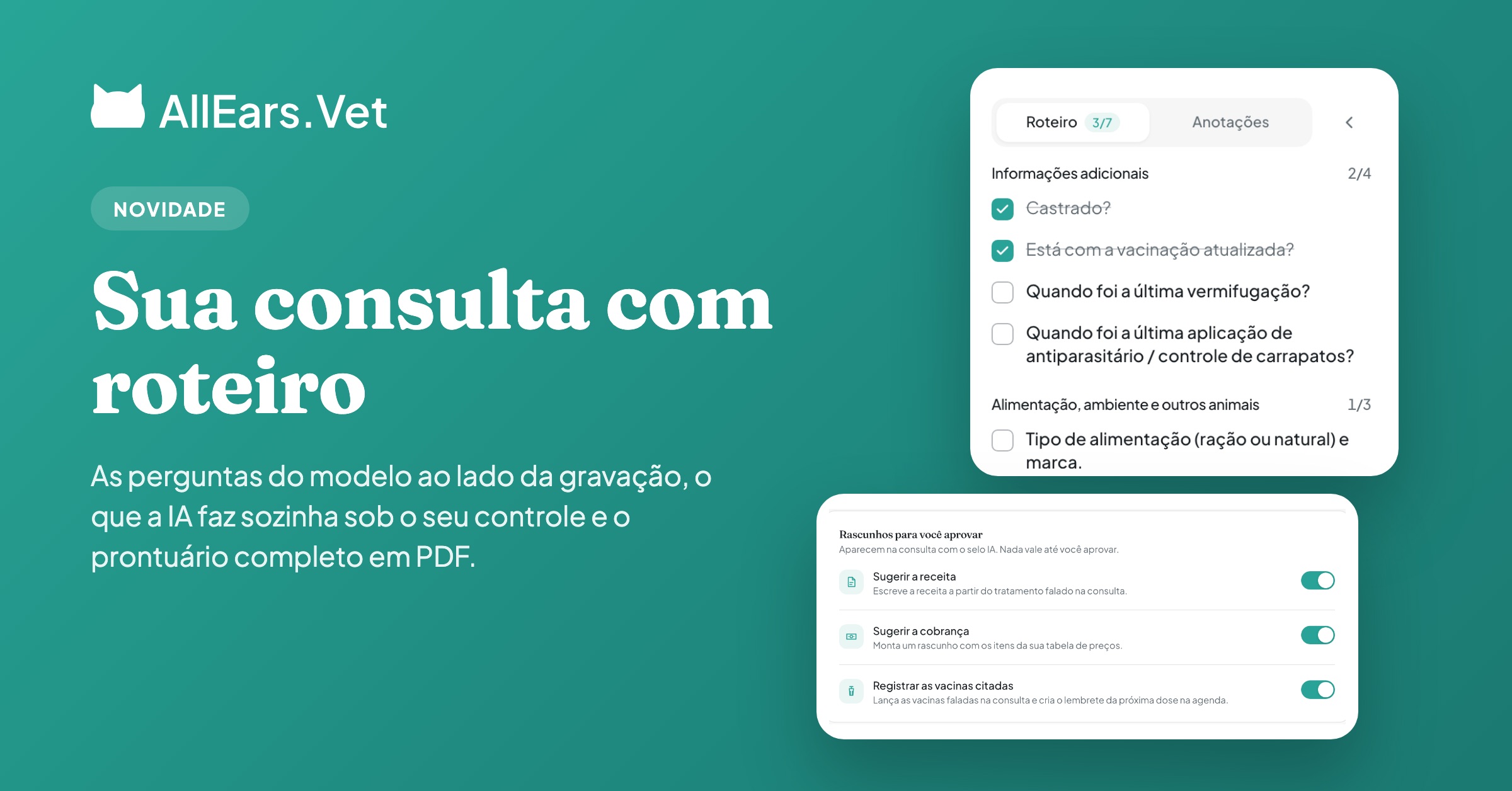
Each consultation template keeps the questions for each section. While you record, they show in the Checklist panel: you tick what you asked, and the AI ticks what it heard.
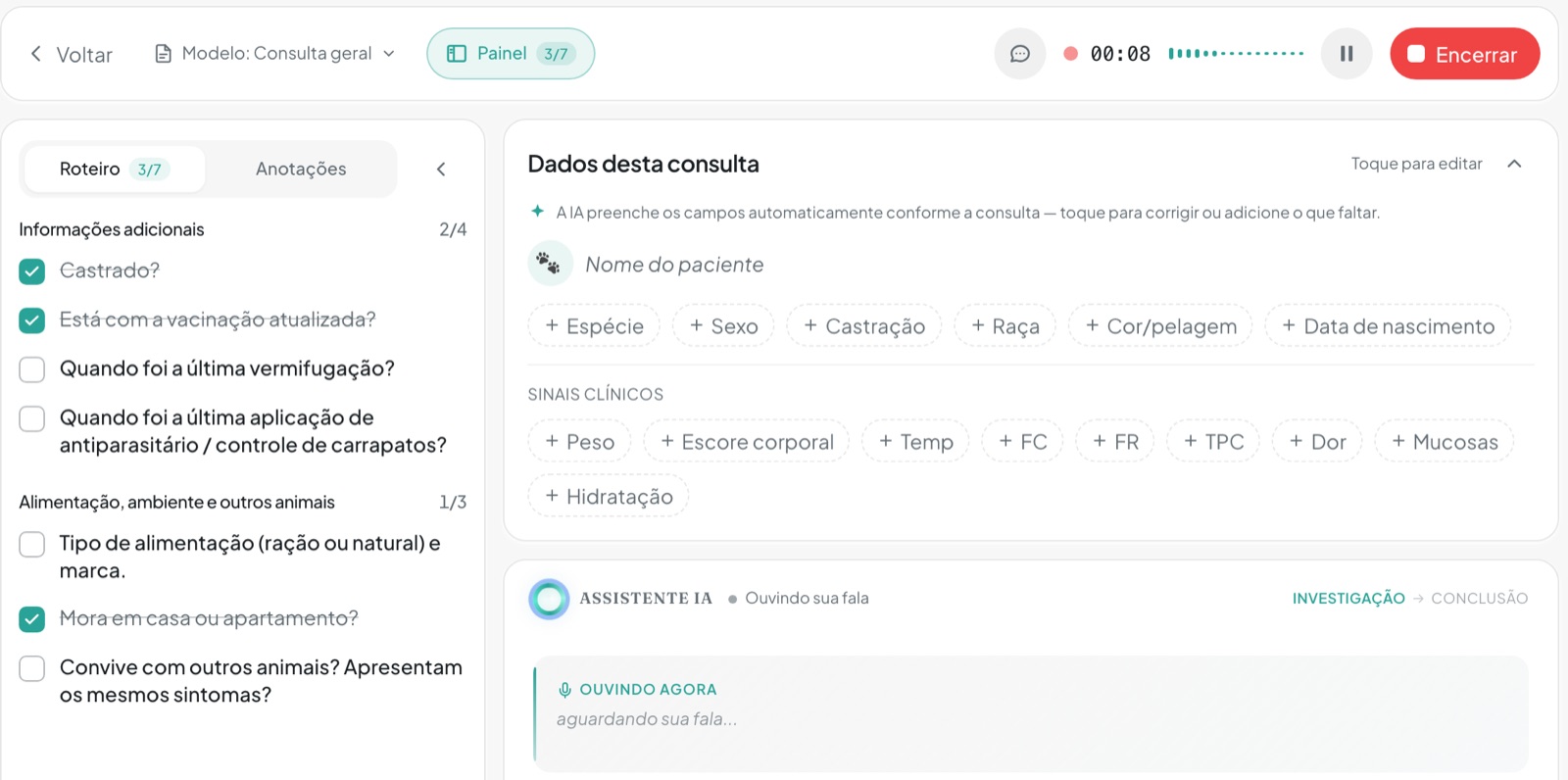
While you record, the Checklist panel shows the template's questions by section, with the progress of each (shown in Portuguese).
📋 Ready-made template gallery
Start from a telemedicine, nutrition, emergency, pre-anesthetic, senior, behavior or vaccination template and adjust it in the new editor.
✨ AI automations
In Settings → AI automations, choose what the AI does on its own after a consultation and whether live suggestions show while you record.
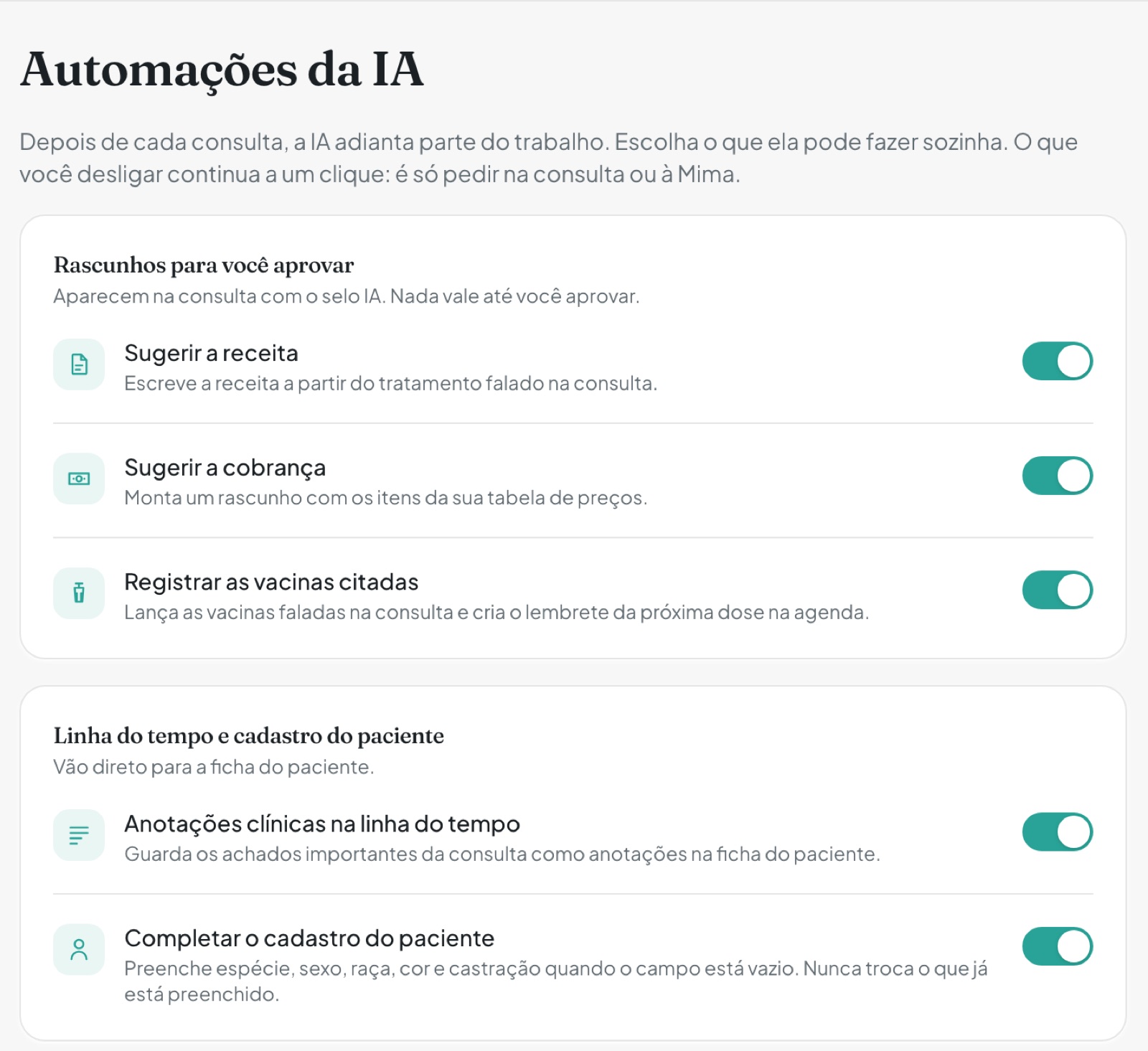
In Settings → AI automations, each task the AI does on its own has its own switch (shown in Portuguese).
📤 Full medical record as a PDF
On the patient's history, tap Export to build a PDF with consultations, vaccines, prescriptions, exams and documents, on your clinic's letterhead.
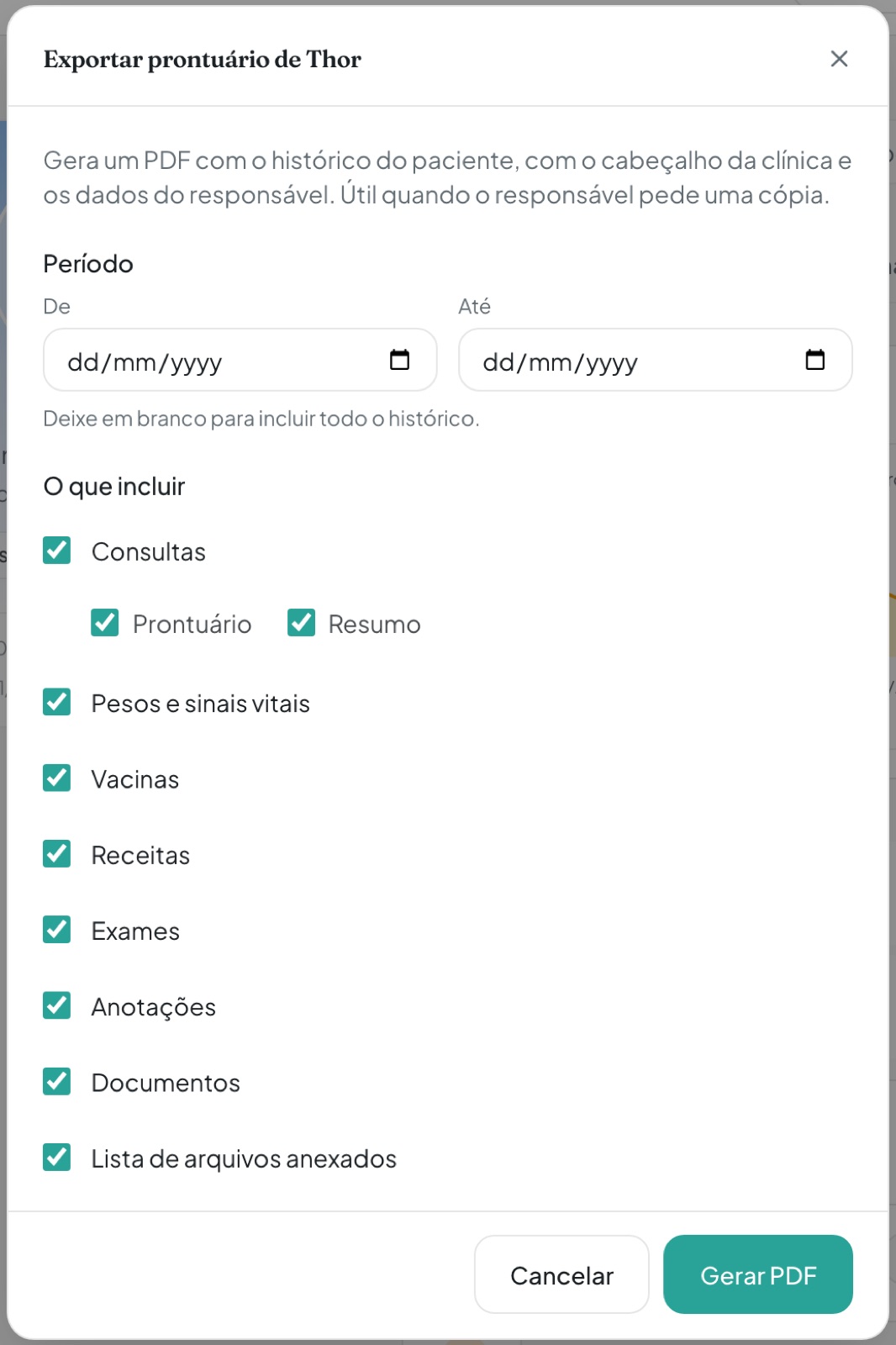
Pick the period and what goes into the PDF (shown in Portuguese).
💬 WhatsApp reminders under control
Keep reminders with the team only, see the message as the guardian will read it and know when a reminder will not go out, and why.
📅 Google events on the clinic agenda
Each Google event shows in its owner's column and becomes an appointment with "Bring into the agenda".
💰 Charges in bulk and quotes as a PDF
Handle several charges at once and send the quote on WhatsApp, as text or as a PDF on your clinic's letterhead.
What changed in this version
New features
- A checklist in consultation templates: each section of a template keeps the questions you want to ask, apart from the instructions for the AI. While you record, they show in the Checklist panel, next to the Notes (a column on a computer, a sliding panel on a phone): you tick what you asked, the AI ticks what it heard, and the ticks are saved on the consultation.
- When you stop recording, the app can remind you of the checklist questions you did not ask.
- Each consultation template has "Weight and body condition score" and "Vital signs" switches. Turned off, the AI does not look for those values, and you can still record them by hand while recording, at wrap-up and on the consultation page.
- A gallery of ready-made templates (telemedicine, nutrition, emergency, pre-anesthetic, senior, behavior, vaccination and more), copied into an editable template of your own, and a new four-step template editor with a preview.
- In "Add without recording", pick the consultation template: the medical record opens with its sections and checklist questions, and nothing is saved until you save.
- Settings → AI automations: choose whether the AI suggests the consultation's prescription and charge, records vaccines and notes, updates the patient record and shows live suggestions while you record. Everything starts on, and the suggested prescription card has a "Don't suggest prescriptions" shortcut.
- Export medical record: on the patient's history, the Export button builds a PDF with the whole history (consultations, vital signs, vaccines, prescriptions, exams, notes, documents and the list of attachments), on your clinic's letterhead and with the guardian.
- Reminders for the team only: every reminder and protocol step has "Notify the owner on WhatsApp". Turned off, the reminder shows on the agenda with an "Internal" badge, sends no message and does not show as an upcoming dose on the guardian portal.
- Message preview: on the reminder and the protocol step, see the WhatsApp message as the guardian will read it, with the real dates.
- Protocol timeline, in the editor, the list menu and when applying: each reminder on its date, who gets it, the message and when it goes out.
- When a reminder will not send a message, the list, the patient history and the reminder detail show why (no guardian, no consent, asked to stop or invalid phone), with a shortcut to the record.
- In Settings → WhatsApp messages, the guardian consent section opts in at once every guardian with a phone and no decision on record, after you confirm they agreed. Anyone who asked to stop or was unticked on their record is never opted back in.
- "New guardians start opted in" applies to every way of adding one: the form, quick add, Mima and the data import.
- When guardians are opted in but no message type is on, the home screen shows "WhatsApp messages on hold", with a shortcut to the settings (or who to ask, for clinic members).
- On the clinic agenda, Google events show in their owner's column, and each vet chooses in Settings → Integrations, on the Google Calendar card, whether to show their events to the team.
- Tapping a Google event shows its location, guests and description, and "Bring into the agenda" turns it into an appointment linked to it: what changes here changes in Google, and what changes in Google arrives here.
- On a computer, drag an appointment to another time, day or column, or pull its bottom edge to change its length. Dropping a Google event on a time slot brings it into the agenda.
- Manufacturing date, expiry date and notes on a vaccine dose. The dates show in the history, on the vaccination card, in the PDF and on the guardian portal; the notes stay with you.
- Bulk actions on charges: tick rows (or the whole page) and mark as paid, cancel, approve or discard suggestions, or delete quotes at once.
- "Send quote" on the quote screen, the list menu and the consultation's charge card, with the proposal ready for WhatsApp: items, discount, total and validity.
- "Send PDF" builds an A4 quote on the clinic's letterhead, with the logo, address and the vet's registration. On a phone, the file goes straight to the share sheet (pick WhatsApp).
- On the patient and guardian lists, a search inside "Filters" finds by pet name, guardian name or code (for example, #2379).
- On an unsigned prescription, "Sign and send" signs it and opens sending to the guardian right away.
Improvements
- Recording a vaccine dose closes the reminders it fulfils on its own, even when the history is filled in out of order. "Done here" on an overdue reminder asks for the real date, and "Already on the record" closes the reminder without recording another dose.
- The vial dates can also be entered when marking a vaccine reminder as done here.
- Vaccines suggested by the AI and not yet approved send no message to the guardian; the reminder stays on the agenda.
- In Settings → WhatsApp messages, turning on a message type without the clinic number takes you straight to the number field.
- From an appointment on the agenda, open the patient and guardian records, and the guardian's name on the reminder detail opens their record.
- In the notification center, each notice shows which clinic it is about, the "This workspace only" filter shows only the open workspace's, and tapping a notice (or a phone notification) opens the right clinic, never during a recording.
- The clinic's expense digests reach everyone who handles Finance, not only the owner.
- In prescriptions written by Mima, the dose of each drug you named follows what you said about that patient; anything missing is marked for you to fill in, and doses for a drug the AI chose come back as suggestions.
- AI suggestions arrive without delays again, and the prescription suggested at the end of a consultation is retried when the AI fails for a moment.
- In Settings → Signatures, rotate the photo of your handwritten signature.
- Move data takes your booking page along, so new bookings land in the right workspace.
- In Settings, forms share the same Cancel and Save bar, and the app asks what to do before you leave with unsaved changes. Protocols now opens inside Settings, like the other screens.
- Suggested charges can be approved, edited or discarded right from the list, and opening one lands on the consultation at the charge card.
- The Cards screen keeps the charges status bar, with the other statuses one tap away.
- On a phone, the Finance and Agenda tabs stay pinned at the top, like the ones on the patient record.
- Finance reports are gathered in one picker, grouped into Cash, Breakdowns and Audit, with a description of each.
- When live transcription cannot connect at the start of a consultation, the app tries again on its own and keeps the text already on screen.
- On the reminders list, the title takes up to two lines and the date sits beside it, with no cut-off text.
- On the patient history, the last item is no longer hidden behind the add button.
- On a computer with a short screen, search and the switch between your personal profile and clinics sit at the top of the screen, and Mima's conversation list folds away in narrow windows.
- When applying a protocol, the dialog says which steps stay with the team.
Fixes
- A reminder due today no longer shows as overdue during the day, and protocol steps no longer land a day early.
- Vaccine doses recorded when closing a reminder no longer show a day early in Mima and in PDFs.
- Consultations with complete audio no longer show the partial recording warning.
- A consultation with one damaged audio segment no longer ends up without an audio file: the good segments are joined as usual.
- In the browser, on some Windows computers, recording segments that got stuck are now sent, and when sending stalls on the computer itself the notice says the segments are kept.
- The phone no longer keeps re-sending, for days, the audio of an old consultation that can no longer be received.
- On Android, tapping a notification opens the screen it is about.
- All-day Google events no longer show a day early on the agenda.
- Appointments with custom reminders in Google sync again.
- In a clinic, the front desk can record a reminder as given here or done elsewhere, and the entry is credited to whoever recorded it.
- Editing a vaccine suggested by the AI is no longer undone by the AI's next pass, and the vaccination card refreshes after a dose is edited from the history.
- When rewriting a prescription, the AI keeps the tablet fraction consistent with the dose in mg (whole, half, quarter or three quarters).
- Mima no longer writes a prescription with instructions only when you asked to treat a condition.
- A PDF exam is no longer reported as corrupt when document reading is briefly unavailable.
- A blank pain score no longer shows as "No pain".
- Mima explains when a feature is part of the paid plan instead of opening a support ticket.