
Version 2.0 — Clinics and teams 🏥
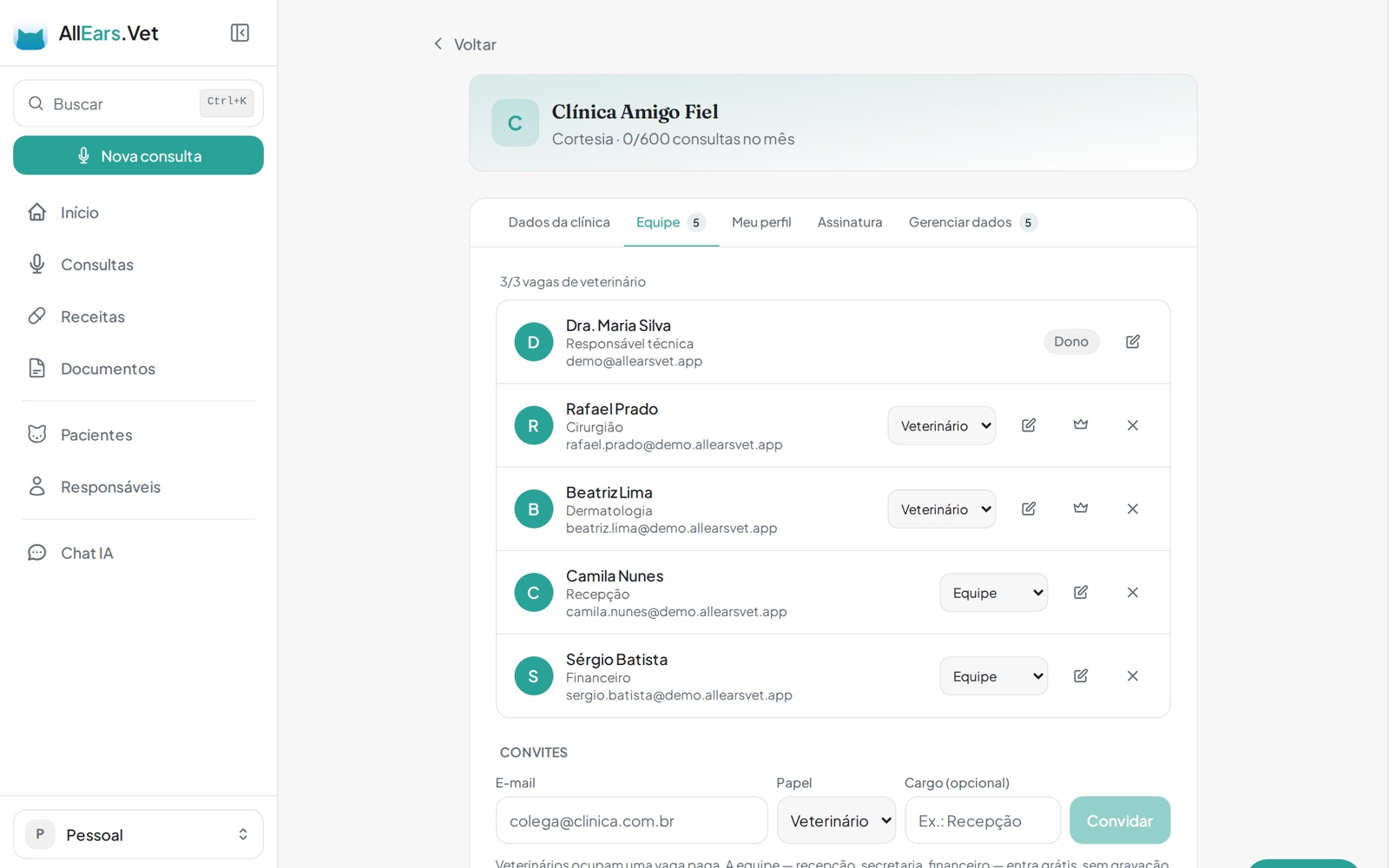
This is the biggest structural change AllEars.Vet has had: it stops being an app for one vet and starts serving the whole clinic. And it brings along everything released since version 1.11.
🏥 Your clinic, your team
Invite the clinic's vets and support staff. Everyone signs in with their own account, and patients, consultations and prescriptions belong to the clinic — not to whoever typed them. You pick each person's role: who treats patients and who only supports, with restricted actions simply not showing up for those who shouldn't use them.
Each vet takes a paid seat; support staff — front desk, admin, finance — join free and unlimited. The clinic plan stays separate from your personal plan, and a switcher at the top moves between the two spaces whenever you want.
You can transfer clinic ownership to another vet and, if you need to close it, deletion asks for a typed confirmation and still gives you 48 hours to change your mind.
👤 Your profile in each clinic
You can have a different photo, phone and job title in each clinic you work at — without mixing it with your personal profile. On the team screen, hovering a colleague shows who they are, and every item in the patient's history says who added it.
✏️ Prescriptions got the full editor
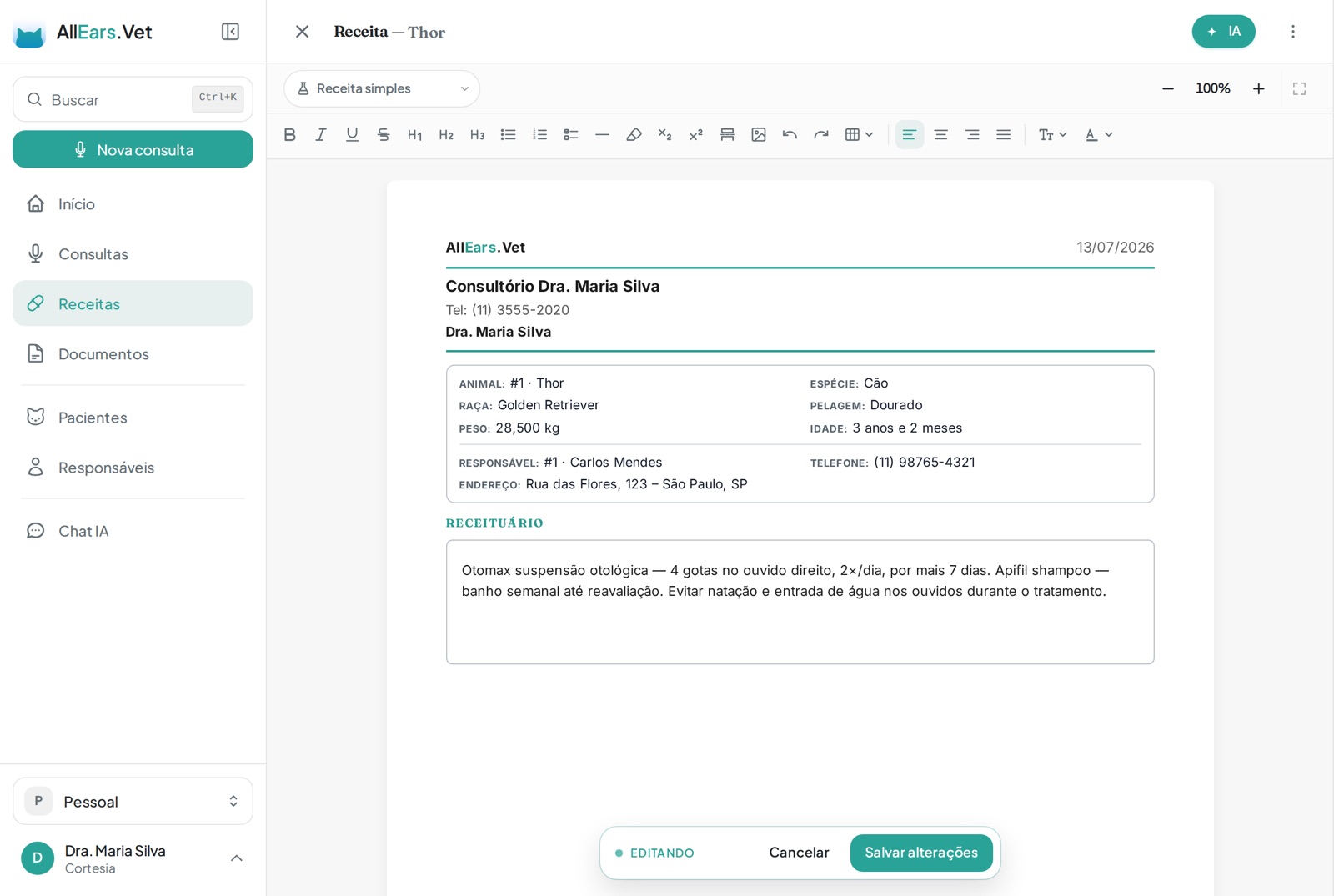
Prescriptions now use the same editor as documents: a real A4 sheet, zoom, print layout and an AI assistant. And the PDF comes out identical to what you see on screen — the same page breaks, no text lost at the bottom of the page.
Ask for changes by voice, by text or by attaching an exam: the AI marks the result on the sheet itself for you to accept, adjust or discard.
📋 Prescription templates
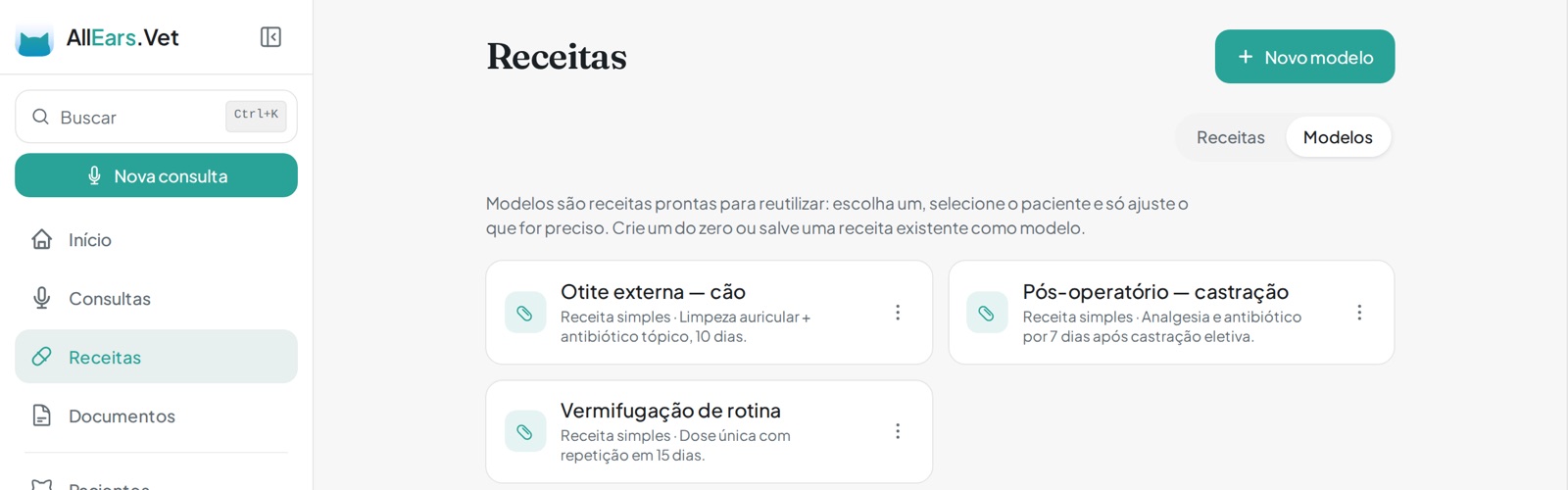
Save the prescriptions you repeat and reuse them in seconds: pick the template, select the patient and adjust only what's different. They live in the new Modelos tab inside Prescriptions.
🖊️ Tables, images and page breaks
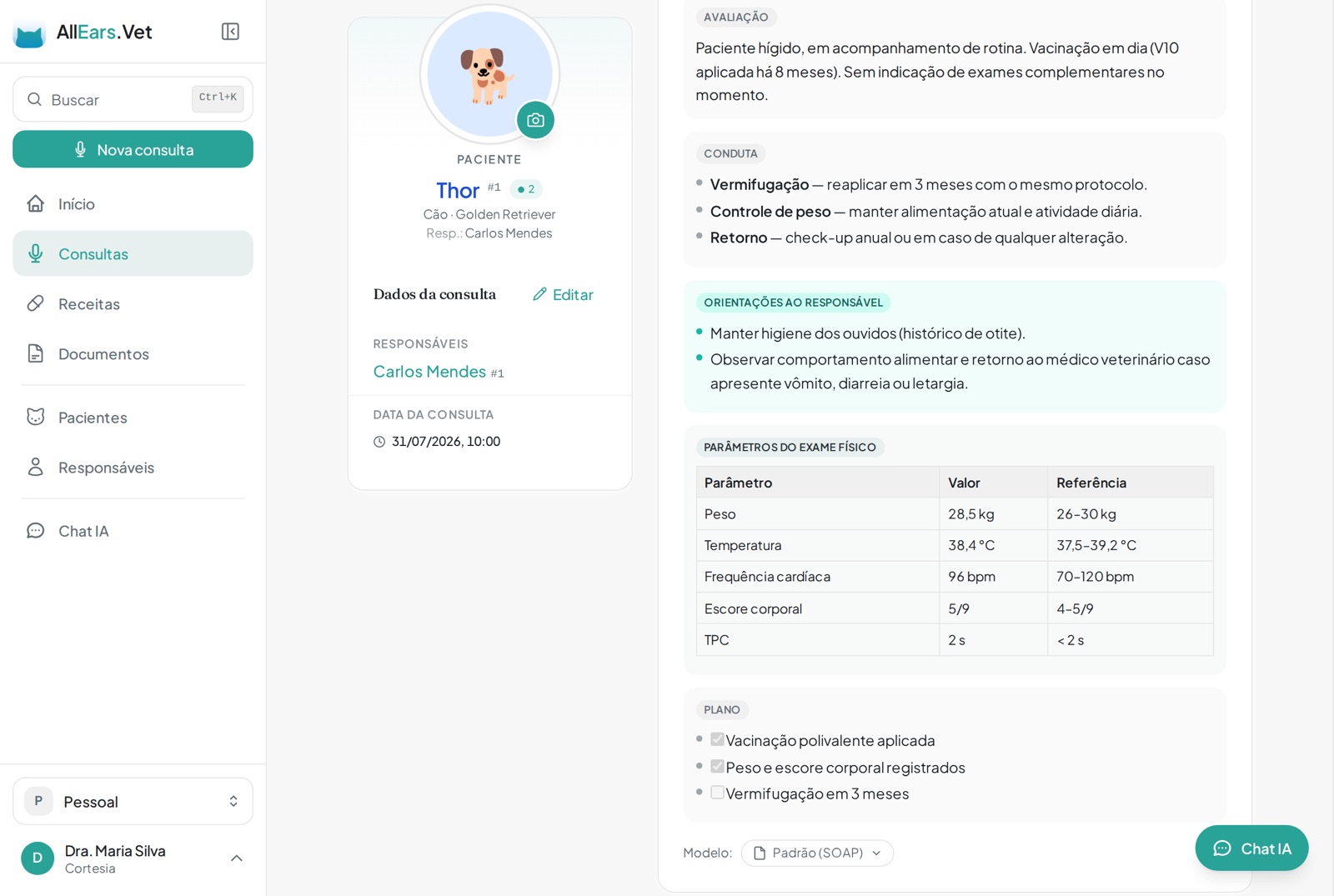
Medical records, documents and prescriptions now take tables, images, checklists, highlighted text and manual page breaks — and what you see on screen is exactly what comes out in the PDF, right down to where the page breaks.
🎙️ Record a consultation you never recorded
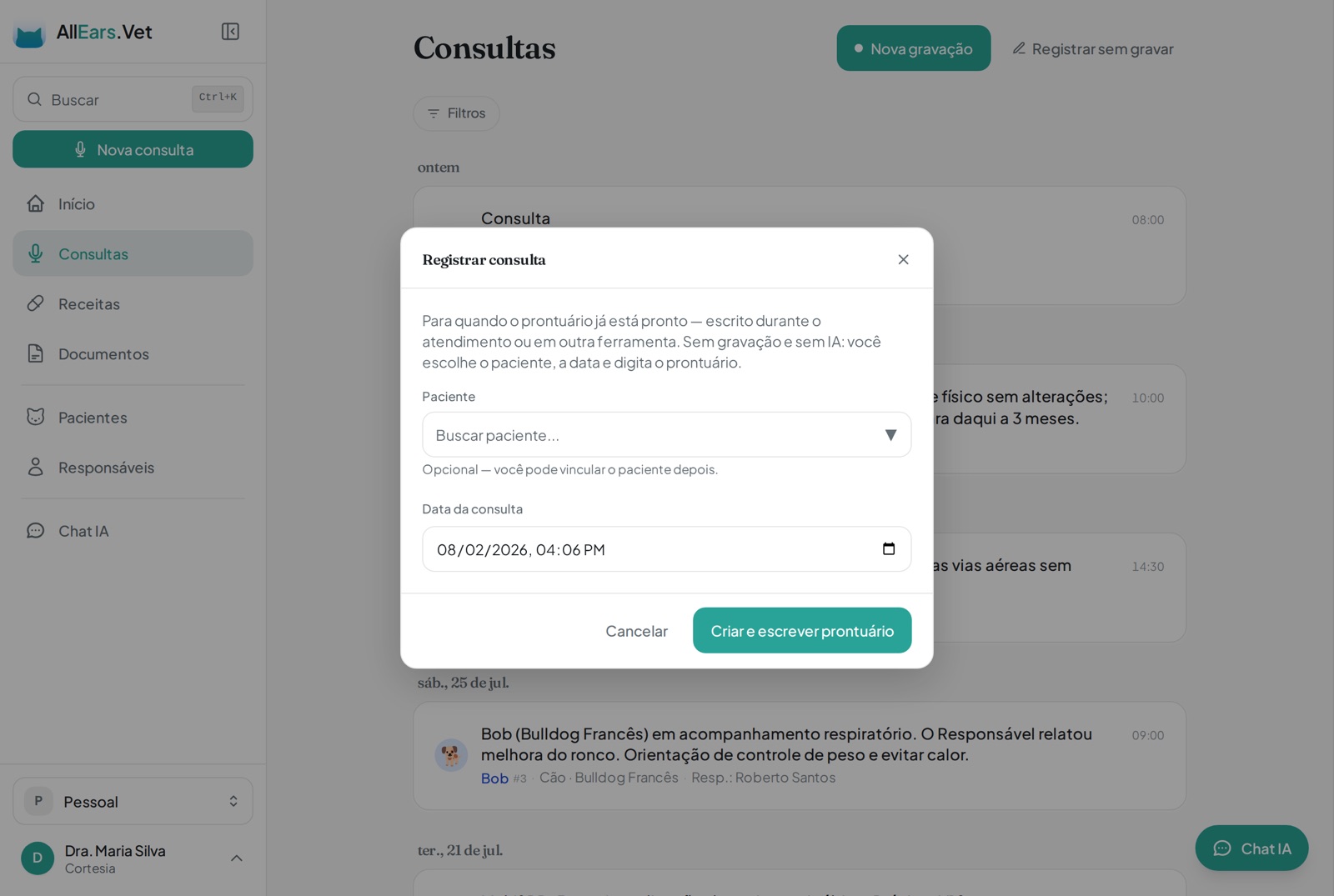
Saw a patient without recording, or already had the record written elsewhere? Use Registrar sem gravar on the Consultations screen: pick the patient, set the date — backdated if you like — and write the record. These don't count against your monthly allowance, which exists for recordings.
💬 Chat and AI your way
Chat voice notes now run up to 5 minutes (it was 1). And you decide where the AI uses what it learned about you: there's a separate switch for conversations, for generating prescriptions and documents, and for the summary and medical record. The AI also now knows your real details — name, licence number, clinic and city — instead of inventing them when the text needs them.
🆘 Support and suggestions centre
Open a ticket or send a suggestion without leaving the app, and follow the reply right there.
🐾 Addresses that fill themselves in
Clinic and guardian addresses are now structured, filled in automatically from the postcode.
What changed in this version
New features
- Clinic plan: invite your team, billed per vet and separate from the personal plan.
- Team roles: vet (paid seat) and support (free and unlimited), with restricted actions hidden from those who can't use them.
- A workspace switcher at the top, to move between your personal profile and the clinic.
- Your own profile in each clinic, with photo, phone and job title independent of your personal profile.
- Transfer clinic ownership to another vet.
- Team deletion with a typed confirmation and 48 hours to undo.
- Prescriptions in the same editor as documents: a real A4 sheet, zoom, print layout and an AI assistant.
- Ask for changes to a prescription or document by voice, text or by attaching an exam, with the result marked on the sheet to accept, adjust or discard.
- A Modelos tab in Prescriptions, to save and reuse the prescriptions you repeat.
- Record a consultation without audio, backdated, without using your monthly allowance.
- Tables, images, checklists, highlight and manual page breaks in the editors.
- Separate AI memory switches for conversations, document generation and the medical record.
- An in-app support and suggestions centre, with replies you can follow.
- Structured clinic and guardian addresses, filled in from the postcode.
- A "Manage data" tab on the clinic, to bring your personal patients into the team.
- Discount codes on the subscription.
- The patient history shows who added each item.
Improvements
- Prescription and document PDFs come out identical to the screen, with the same page breaks.
- Chat voice notes up to 5 minutes instead of 1.
- The AI uses your real name, licence number, clinic and city instead of inventing them.
- The assistant knows who it's talking to.
- Ready-to-send guardian messages come out formatted for WhatsApp, with no stray symbols.
- Handwritten signatures now carry the date, and warn when they aren't valid for that prescription type.
- Trial started and subscription confirmed e-mails written for clinics.
- Clinic consultation audio is deleted automatically at the end of the retention window.
- The record's change history is written in plain language.
- The letterhead follows the workspace you're working in.
- Patients show as shortcuts in the guardians list.
- Faster, steadier live suggestions during the consultation.
- Document library template actions now sit in a menu with their names spelled out.
- Opening a prescription or document just to read it is faster.
- The mobile More menu has been reorganized.
Fixes
- An image inserted in the editor is no longer erased when you keep typing.
- A manual page break no longer turns into an ordinary rule when you reopen the document.
- On iPhone, the editor's Save and Cancel buttons no longer ignore near-miss taps.
- The prescription and document template editors now fill the screen on mobile without clipping the paper.
- Empty table rows are back to normal height on the paper and in the PDF.
- The professional title no longer appears twice when the name already carries it.
- Saving a patient inside a team workspace no longer fails because of the personal clinic.
- Consultations that failed without uploading audio can be recovered from the local copy.
- Subscribing works again when the billing record had been lost.
- PDF previews work again on older browsers.
- Live transcription no longer drops out during long silences.
- The iPhone keyboard no longer closes itself while you type the patient's age.
- Paper zoom no longer freezes edit mode on iPhone.
- The prescription sheet no longer closes itself on save from the patient screen.
- The assistant stopped claiming it created a prescription when it hadn't.
- The prescription list preview and the activity summary no longer show editor markup.
- Colleagues' prescriptions and documents can be linked to patients across the whole clinic workspace.
- Invited members land straight in the clinic workspace on their first sign-in.
- The clinic list no longer jumps around while it loads.
- A signed prescription opens back in the place you opened it from.